


Moving to a new office can be an exciting and fresh start, but it often comes with significant disruptions to your daily work routine. A major part of minimizing these disruptions is knowing how to set up a temporary office while moving. Whether you’re running an administrative team, managing a creative project, or leading a tech department, having a temporary office ready can make the difference between a few days of chaos and a smooth transition. Our Massachusetts movers explain in detail how to organize and minimize downtime, no matter the type of office job you have.
Planning and Organizing for the Temporary Office
The first step in setting up a temporary office is proper planning. You’ll want to make sure that the space you choose is functional and equipped with everything your team needs to maintain productivity during the move.
Define the Space
Your temporary office should be in a location that is relatively quiet with minimal distractions. Ideally, it should be close to the moving action, but away from noise and interruptions. Assess the available space and plan how you’ll organize it to suit everyone’s needs. Even if it’s a small area, try to separate workstations so that people can focus.
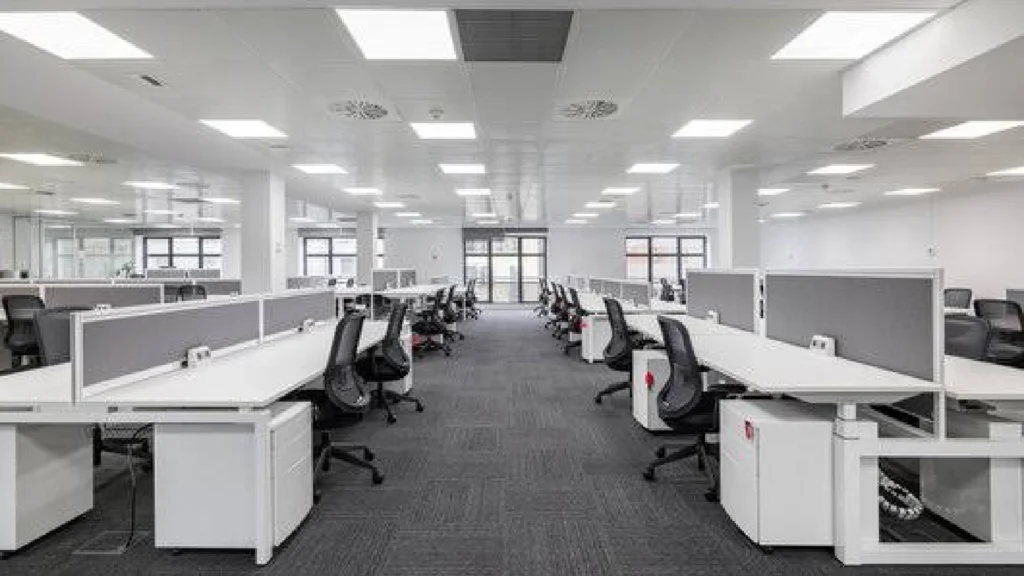
Find a quiet space first.
Essential Equipment and Supplies
Think about the basic equipment and tools you’ll need to keep things running smoothly while moving your office. This might include:
- Laptops, printers, and phones
- Cables and chargers
- Internet connections, such as a portable hotspot if necessary
- Office supplies like paper, pens, notepads, and sticky notes
Ensure all your tech is set up ahead of time, particularly for remote workers. Having a solid Wi-Fi connection or hotspot will be critical, so check in advance that everything works as expected.
Task Delegation
When you need to set up a temporary office, task delegation is key. Appoint a few team members to oversee the setup. Have someone handle tech and internet connections, another for physical office organization, and someone to monitor the setup of workstations. Clear delegation will speed up the process and ensure nothing gets overlooked.
Minimizing Downtime with Strategic Setup
Once you’ve chosen your space and gathered supplies, it’s time to minimize downtime. You can do this by setting up in phases and focusing on what’s necessary first.
Pre-plan Workflows
Start by identifying the most critical tasks for your team during the move. For example, customer service departments must continue handling calls and emails, while project managers might need to keep track of timelines. Cloud-based tools like Google Docs, Slack, and Zoom allow seamless collaboration even in a temporary office setting. These tools help ensure that everyone stays connected and up to date.

Use Slack, for example, to communicate about how to set up a temporary office while moving.
Set Up in Phases
Begin by setting up the essentials. Start with laptops, phones, and a working internet connection. Once these are up and running, you can gradually add other items, such as printers and extra monitors, depending on the space. Prioritize what’s important for each team’s role, ensuring the most critical equipment is ready to go first.
Flexible Scheduling
The nature of a temporary office means that not everything will be in place immediately. Be flexible with work schedules to accommodate the transition. You may need to stagger tasks or temporarily adjust deadlines to give teams time to settle into their new environment. This is especially important for those who are relocating a home and office simultaneously. It prevents burnout.
Different Office Jobs and Their Temporary Setup Needs
Different types of office jobs have varying requirements when it comes to setting up a temporary office. Here’s a breakdown of what different teams will need:
Administrative and Support Roles
These jobs require organized spaces with easy access to paperwork and digital documents. You can either set up temporary filing systems using boxes or digitize as much as possible. Office support roles often rely on phones and scheduling software, so make sure that communication tools are up and running first.
Creative Roles (Designers, Writers, etc.)
For creative jobs, a clean and quiet workspace is essential for focus. Ensure that software tools like Adobe Creative Cloud, Microsoft Office, or Google Drive are set up, and that computers are powerful enough to handle large design files. If possible, provide noise-canceling headphones or headphones for those who may need peace and quiet.
Tech Roles (Developers, IT, etc.)
For those in tech, a reliable internet connection and access to software tools like IDEs or cloud services are essential. Setting up dual monitors, ensuring remote access to servers, and having all the proper cables for charging and networking will be important.
Staying Organized and Maintaining Communication
A temporary office is only successful if communication stays fluid and everyone is on the same page.
- Setting Up Communication Tools: Ensure all team members have access to essential communication tools like email, phone systems, and instant messaging platforms.
- Organize Documents and Files: Keep all files easily accessible through cloud storage or well-labeled physical filing systems.
- Maintain Communication with Your Team: Regularly update your team about the move’s progress and any changes to schedules or workstations.

Communicate clearly in order to avoid issues and burnout.
Use Temporary Storage
While moving and working in a temporary office, storage becomes essential. We suggest using self storage Chelsea MA to store the items until ready to reach your new office space. This way, you avoid clutter, misunderstanding, and make sure you’ll unpack faster, thus minimizing downtime,
Set Up a Temporary Office With Ease
Setting up a temporary office while moving is essential for minimizing downtime and keeping your business operations running smoothly. By ensuring effective communication, staying organized, and prioritizing the right tools, you can seamlessly transition to your new workspace. Whether you’re managing administrative tasks, creative projects, or technical roles, knowing how to set up a temporary office will help maintain productivity. If you’re planning an office move, consider reaching out to professional office moving companies in Massachusetts for expert support and efficient relocation services. Let them handle the logistics while you focus on keeping your business on track.